As you probably know, April has been a busy month in the financial services industry. Here at Voyant, we’ve been busy refining our Canadian tax features to make them easier than ever to use, not to mention preparing our customers for GDPR compliance.
Speaking of GDPR, read our security methodology here, and about how we’re preparing for the GDPR here.
Quickly view the details on any event in your Timeline by hovering over said event:
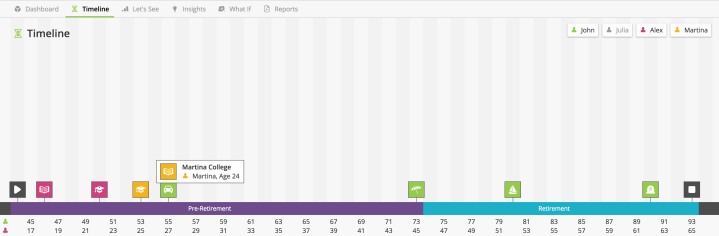
We’ve also made it easier to alter the timing of a goal, account, or any other model item with corresponding timing. Simply click on the Timing Tab of said item, and click on any event in the Timeline to set it as a corresponding Start/End date:

We’re also upgraded Finametrica to version 3.0.
New in both Adviser & AdviserGo, decide whether or not you want to apply a pension income split by clicking Income -> CPP/QPP -> Income Split Yes/No:
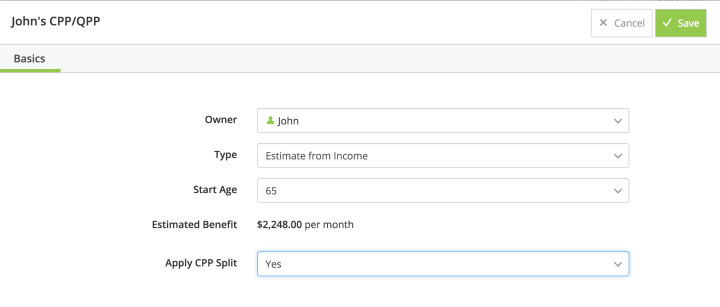
Customize that income split further by viewing and altering Pension Splitting details under your Taxes:

April might be hectic month, but our feature updates will keep you calm in the storm. Questions, comments, tales you’d like to tell? Email support@planwithvoyant.com.
